
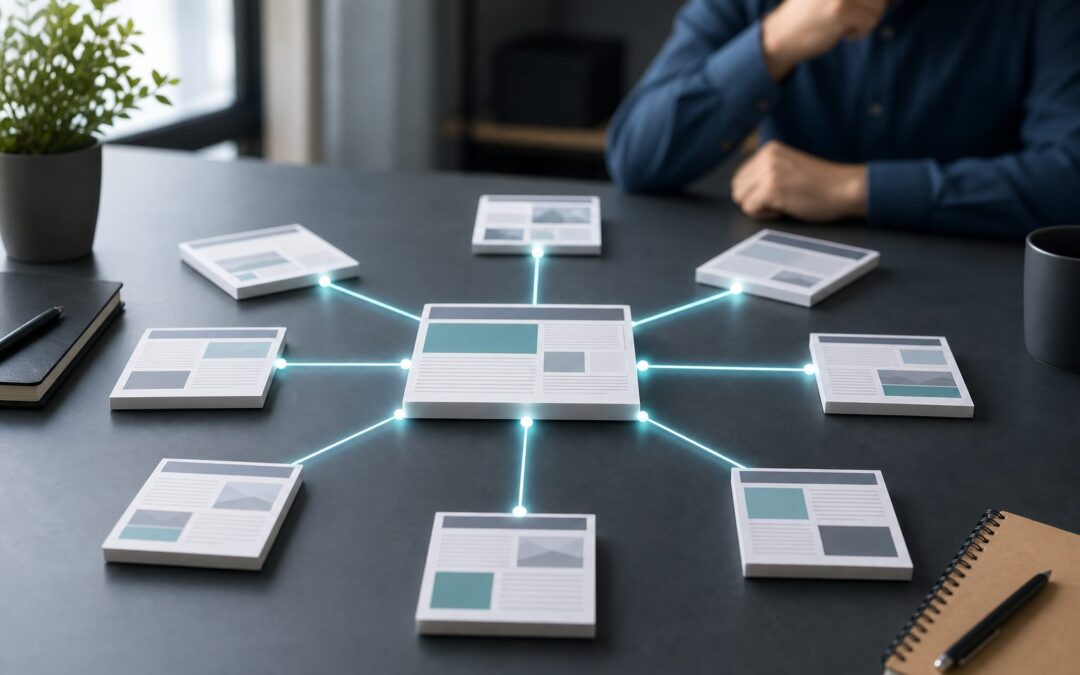
What is internal linking, and why does it matter for your website? Internal linking is the practice of connecting one page on your website to another page on the same website. These links help visitors move through your content, help search engines discover and understand your pages, and support stronger SEO performance when used thoughtfully. A good internal linking strategy is not about adding random links everywhere. It is about guiding readers to useful next steps, showing the relationship between related topics, and helping important pages receive more attention. In this guide, you will learn what internal links are, why they are valuable, how they work, where to use them, which mistakes to avoid, and how to build a practical internal linking process that improves both user experience and search visibility.
Internal Linking Meaning
Internal linking is simple in concept, but it plays a large role in how people and search engines move through your website.
1. Links Between Pages On The Same Website
An internal link points from one page on your site to another page on the same domain. For example, a blog post about SEO basics might point readers to a related post about keyword research, content planning, or technical SEO.
2. A Guide For Readers
Internal links help visitors find useful information without needing to search manually. When a link appears in the right context, it feels like a helpful suggestion and keeps the reader engaged with your content for longer.
3. A Signal For Search Engines
Search engines use internal links to discover pages and understand how content is connected. If many relevant pages point to one important page, that can indicate that the page has value within your site structure.
4. A Way To Organize Content
Internal linking helps create a logical content map. Main pages can connect to supporting articles, while detailed posts can point back to broader guides, making your website easier to crawl, use, and understand.
5. A Support For Topic Authority
When related pages link to each other naturally, they help show depth around a subject. This can support topical relevance because your website appears to cover a topic in a complete and organized way.
6. A Part Of On Page SEO
Internal links are part of on page SEO because they affect navigation, crawl paths, context, and page importance. They work best when combined with useful content, clear headings, readable structure, and relevant anchor wording.
Why Internal Links Matter For SEO
Internal links support SEO by improving discovery, relevance, authority flow, and user behavior across your website.
1. They Help Search Engines Find Pages
If a page has no internal links pointing to it, search engines may struggle to find it. Linking from visible, relevant pages gives crawlers a path to new or important content and reduces the risk of pages being ignored.
2. They Show Content Relationships
Internal links help explain how topics relate to one another. A page about content strategy linking to pages about search intent, keyword mapping, and editorial calendars creates a clearer topical structure for both readers and crawlers.
3. They Share Page Authority
Pages with strong visibility or backlinks can pass value through internal links. While this should not be treated mechanically, linking from established pages to newer or strategic pages can help them gain more search visibility.
4. They Improve User Engagement
Helpful internal links encourage readers to continue exploring your site. When visitors read more than one page, it can increase session depth, reduce dead ends, and make your website feel more useful and complete.
5. They Support Better Crawling
A strong internal linking structure gives search engines clear crawl paths. This is especially important for larger websites where older posts, category pages, product pages, and resource pages can become buried over time.
6. They Help Important Pages Stand Out
Not every page on a website has equal business or SEO value. Internal linking helps you highlight priority pages by linking to them from relevant content, menus, guides, and supporting articles across the site.
Types Of Internal Links
Different internal links serve different purposes, and a healthy website usually uses several types together.
1. Navigation Links
Navigation links appear in menus and help users reach major sections of a website. These links usually point to important pages such as services, categories, product collections, resources, contact pages, or primary informational pages.
2. Contextual Links
Contextual links appear inside the main body content. They are often the most valuable because they connect related ideas at the moment a reader is already interested in learning more about a specific topic.
3. Footer Links
Footer links appear at the bottom of pages and often support access to key informational pages. They should be useful and limited, not stuffed with excessive links that create clutter or weaken the user experience.
4. Breadcrumb Links
Breadcrumb links show where a page sits within the website hierarchy. They are helpful for users who want to move up to a parent category and for search engines that need clearer structural context.
5. Related Content Links
Related content links often appear near the end of articles or product pages. They help users continue exploring similar topics and can improve engagement when the recommendations are relevant and not automatically random.
6. Call To Action Links
Call to action links guide users toward a meaningful next step, such as reading a guide, viewing a service page, comparing products, or starting a process. They should match the user’s intent at that moment.
How Internal Linking Works
Internal linking works by connecting content through paths, relevance, anchor wording, and page hierarchy.
1. Crawl Paths Connect Pages
Search engines follow links to move from page to page. When your internal links are clear and accessible, crawlers can find more of your content and better understand which pages belong together.
2. Anchor Text Adds Context
Anchor text is the clickable wording used for a link. Clear, natural wording helps readers know what to expect and gives search engines additional context about the destination page without needing forced repetition.
3. Page Depth Affects Discovery
Pages buried many clicks away from the homepage can be harder to discover and may receive less attention. Internal links from relevant pages can reduce page depth and make important content easier to reach.
4. Relevance Shapes Value
An internal link is stronger when the source page and destination page are closely related. A link from a topic-relevant article usually feels more helpful than a random link placed only for SEO reasons.
5. Site Architecture Guides Priority
Your site architecture shows which pages are broad, detailed, commercial, informational, or supportive. Internal links should reinforce that structure by connecting main pages with deeper pages in a logical way.
6. Link Placement Influences Usefulness
Links placed where readers need more information are more useful than links hidden in crowded areas. A well-placed contextual link can answer the reader’s next question and improve the flow of the page.
Internal Linking Benefits
A strong internal linking strategy can improve both SEO performance and the overall experience of using your website.
- Better Discoverability: Internal links help search engines and users find important pages that may otherwise remain hidden deep within the site.
- Stronger Topic Relevance: Linking related pages together helps show that your website covers a subject with depth and structure.
- Improved User Experience: Helpful links make it easier for readers to continue learning without leaving your site or starting a new search.
- More Value For Key Pages: Strategic links can direct attention toward important product, service, category, or guide pages.
- Reduced Content Isolation: Internal links prevent valuable pages from becoming isolated, forgotten, or disconnected from the rest of your content.
- Clearer Website Structure: Consistent linking makes your website feel more organized, especially as your content library grows over time.
Internal Linking Strategy Steps
Building internal links works best when you follow a repeatable process instead of adding links randomly after publishing.
- Audit Existing Pages: Review your current content and identify important pages, weak pages, orphan pages, and articles that need stronger connections.
- Choose Priority Pages: Decide which pages matter most for traffic, conversions, education, or authority, then plan to support them with relevant internal links.
- Group Related Topics: Organize pages into topic clusters so broad guides, supporting posts, product pages, and FAQs connect naturally.
- Find Contextual Opportunities: Look inside existing content for sentences where a related page would genuinely help the reader learn more.
- Use Clear Anchor Wording: Write link wording that describes the destination page naturally without stuffing exact-match keywords into every link.
- Review Link Balance: Avoid linking only to the homepage or only to new posts. Spread internal links toward pages that deserve visibility.
- Update Links Regularly: Revisit old content when publishing new pages so your internal linking structure stays current and useful.
Examples Of Internal Linking
Examples make internal linking easier to apply because they show how links can support real content goals.
1. Blog Post To Guide Page
A short blog post about SEO tips can link to a deeper guide about search engine optimization. This helps readers who want more detail and supports the guide as a central resource on the topic.
2. Guide Page To Supporting Articles
A complete guide can link to supporting articles that explain smaller topics in detail. This keeps the guide readable while giving readers clear paths to deeper information when they need it.
3. Product Page To Buying Guide
A product page can link to a buying guide that explains how to compare options. This helps users make informed decisions and can reduce hesitation before they choose a product or service.
4. Category Page To Popular Resources
A category page can link to the most useful resources within that topic area. This helps visitors quickly find the best starting points and gives search engines a clearer view of important pages.
5. Old Article To New Article
When you publish a new article, older related articles can link to it. This gives the new content an immediate path for discovery and keeps your existing pages more accurate and useful.
6. FAQ Page To Detailed Content
An FAQ page can briefly answer common questions while pointing users toward more detailed pages. This structure supports quick answers and deeper learning without making one page too long or unfocused.
Common Internal Linking Mistakes To Avoid
Internal linking mistakes can make a site harder to use and weaken the value of otherwise helpful content.
1. Adding Too Many Links
Too many links in one section can distract readers and make the page feel messy. Focus on links that truly support the topic and remove anything that does not add a clear next step.
2. Using Vague Anchor Text
Generic wording gives little context. Instead of using unclear phrases, write anchor wording that explains what the reader will find on the destination page in a natural and concise way.
3. Linking To Irrelevant Pages
Internal links should make sense within the surrounding content. If a link feels forced, promotional, or unrelated to the reader’s current question, it can damage trust and reduce usefulness.
4. Ignoring Old Content
Many websites publish new content but forget to update older pages. Older articles may have strong authority, so they can become valuable sources for linking to newer, relevant pages.
5. Creating Orphan Pages
An orphan page has no internal links pointing to it. These pages are difficult for users and search engines to find, so important content should always be connected from relevant places.
6. Repeating The Same Links Everywhere
Repeating the same internal links across every page can look unnatural and reduce relevance. It is better to link based on context, user intent, and the specific topic of each page.
Best Practices For Internal Linking
Good internal linking is intentional, reader-focused, and supported by a clear content structure.
1. Link Where It Helps The Reader
The best internal links appear where the reader may naturally want more information. If the link answers the next logical question, it is likely serving both user experience and SEO goals.
2. Keep Anchor Text Natural
Anchor wording should be descriptive without sounding forced. Use variations that match the sentence and avoid repeating the exact same phrase every time you link to a page.
3. Support Important Pages
Identify pages that deserve more visibility, such as cornerstone guides, service pages, product pages, or high-value resources. Link to them from relevant articles that already attract traffic or cover related topics.
4. Connect Topic Clusters
Group related content into clusters, then connect broad pages with specific supporting pages. This creates a cleaner structure and helps readers move from beginner information to more detailed answers.
5. Fix Broken Internal Links
Broken links create a poor user experience and waste crawl opportunities. Review your internal links regularly, especially after deleting pages, changing slugs, merging content, or redesigning your site structure.
6. Review Links After Publishing
Every new page should become part of your internal linking system. After publishing, add links from older relevant pages and add links from the new page to useful existing resources.
Internal Linking And Site Structure
Your internal links should reflect how your website is organized, not fight against it.
A simple website may only need clear navigation and a few contextual links between related pages. A larger website needs stronger planning because products, categories, blog posts, guides, and landing pages can quickly become difficult to manage.
Think of your homepage, main categories, and cornerstone pages as broad entry points. Supporting content should connect to these pages when relevant, while those broader pages should also help users reach detailed articles or product information.
This structure helps readers choose their own path. Someone may begin with a basic guide, move into a detailed tutorial, compare options, and then visit a service or product page when they are ready.
The goal is not to make every page link to every other page. The goal is to create a clean, helpful network where each internal link has a reason to exist.
Advanced Internal Linking Tips
Once the basics are in place, advanced internal linking can help you improve content performance with more precision.
1. Use Content Hubs
A content hub brings related pages together around one main topic. It can help readers explore a subject deeply and helps search engines see that your site has organized expertise in that area.
2. Prioritize High Intent Pages
Some pages attract visitors who are closer to making a decision. Linking informational content to high intent pages can help users move from learning to action without feeling pushed too early.
3. Refresh Links During Updates
When updating old content, review internal links at the same time. This lets you remove outdated references, add newer resources, and strengthen pages that have become more important since the original publication.
4. Balance Deep And Broad Links
Do not only link to broad category pages. Deep links to specific guides, comparisons, tutorials, and product details can help users find precise answers and help search engines discover valuable lower-level pages.
5. Watch For Link Cannibalization
If several pages compete for the same topic, internal links may send mixed signals. Review overlapping pages and decide which one should be the primary destination for that search intent.
6. Measure Engagement Patterns
Look at how visitors move through your site after clicking internal links. Pages that attract clicks and keep users engaged may reveal strong pathways, while ignored links may need better placement or wording.
Frequently Asked Questions
1. What Is Internal Linking In Simple Words?
Internal linking means linking one page of your website to another page on the same website. It helps visitors find related information and helps search engines discover, crawl, and understand your content structure more clearly.
2. Why Is Internal Linking Important For SEO?
Internal linking is important for SEO because it supports crawlability, page discovery, topic relevance, and authority flow. It also improves user experience by guiding readers to useful pages that match their interests or questions.
3. How Many Internal Links Should A Page Have?
There is no perfect number for every page. A page should have enough internal links to help readers continue naturally, but not so many that the content feels crowded, distracting, or difficult to read.
4. What Is The Best Anchor Text For Internal Links?
The best anchor text is clear, natural, and descriptive. It should tell readers what they will find on the linked page without stuffing keywords or repeating the same phrase in every internal link.
5. Can Internal Linking Improve Rankings?
Internal linking can support better rankings by helping search engines discover pages, understand relationships, and identify important content. It is not a standalone fix, but it strengthens SEO when paired with quality content and technical health.
6. How Often Should Internal Links Be Updated?
Internal links should be reviewed whenever you publish new content, update old pages, remove pages, or change your site structure. Regular reviews help prevent broken links and keep your content network useful.
Conclusion
Internal linking is one of the most practical ways to improve website structure, user experience, and SEO clarity. It connects related pages, helps search engines crawl your site, supports important content, and gives readers helpful next steps.
The best internal linking strategy is simple, relevant, and consistent. Link where it genuinely helps the reader, use clear wording, support priority pages, and keep your links updated as your website grows.